
FarmHQ pro-tip: Set notification preferences
If you have a farm with 20, 30, 40, or even 50+ FarmHQ devices, chances are you’re getting a lot of notifications. Here’s a pro tip on how to cut down on the noise, without affecting anyone else.
Watch and follow along with our video, and step-by step instructions, below:
Basic step-by-step instructions are as follows:
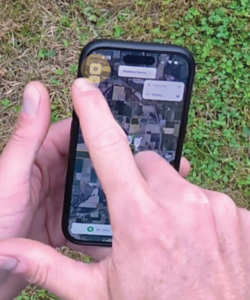
1. From the Home Screen, tap the gear icon.
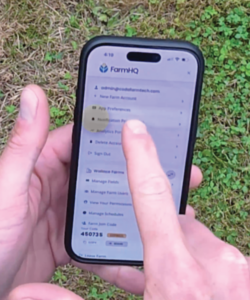
2. Go to notification preferences
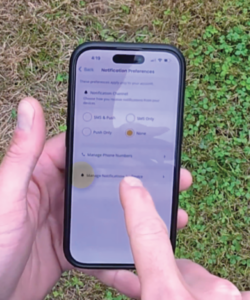
3. Then tap manage notifications by device
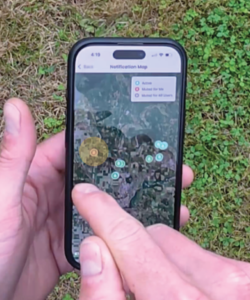
4. And click view on map
-
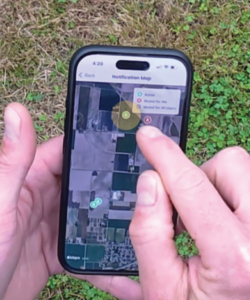
- Now you get a map view that shows you all of your device locations, along with a bell icon for each one
5. If you want to mute any devices, simply tap on the ones you don’t want to receive notifications from. The bell icon will turn red, and now those devices are muted for you
-
- If you want to mute for all users tap again to turn grey
- If you want to re-enable the device, tap a second time to turn green. Now the device is enabled for everyone on your farm.
Step 1
Step 2
Step 3
Step 4
Step 5
Need more devices?
Curios about savings?